

For online stores, SEO helps your products stand out from the noise. You need to sell your products, so you need customers to find you online, preferably before a competitor. That’s the power of SEO for eCommerce.
This comprehensive eCommerce SEO guide covers more than just the essentials of SEO. It’s designed to help store owners and marketers understand what works and build an effective eCommerce SEO strategy, including on-site and off-site tactics that improve online visibility and target high-intent buyers.
Key Takeaways
- What SEO for eCommerce is and why it’s important.
- How SEO and paid search differ and work together.
- How to build an eCommerce SEO strategy.
- How to optimize a store’s architecture for SEO.
- Technical SEO tactics for eCommerce.
- Why backlinks matter for SEO eCommerce.
- Common SEO for eCommerce mistakes to avoid.
What Is SEO for Ecommerce (and who it’s for)?
Most online store owners have a basic understanding of how search engine marketing works. However, SEO for online stores differs from traditional SEO, focusing more on reaching customers during their buying journey than on improving brand visibility. It’s designed to help online stores rank higher in organic search results for specific category and product searches. Search results for eCommerce also look different. They usually include a product carousel with images and pricing, reviews with ratings, shopping ads at the top of the page, or AI Overviews that answer queries directly on the search engine results page.
SEO for eCommerce helps online sellers appear organically when customers search for specific items. Ranking organically in product searches builds authority that compounds over time. It also builds credibility, reduces acquisition costs, keeps qualified traffic coming to your site, and creates long-term payoff.
Ecommerce SEO vs. Paid Search: Should You Use Both?
Although eCommerce SEO and paid search serve different purposes, using both can strengthen your search strategy. Paid search delivers immediate visibility when someone searches for relevant keywords and your ad appears. Paid ads can also help you target high-intent customers with strategic keyword inclusion. SEO for eCommerce, on the other hand, doesn’t deliver the same immediacy. However, as organic rankings improve, reliance on paid advertising will reduce. Instead of paying for every visit, organic searches can drive qualified traffic, which lowers customer acquisition costs over time.
With less reliance on paid search to drive traffic, store owners can be more strategic, widening their reach by targeting competitive keywords or promoting specials, new products, or other opportunities where paid visibility makes the most sense.
Using PPC Data to Improve eCommerce SEO
Another benefit of paid search is the data uncovered, which can improve organic SEO efforts. Your PPC results will uncover the highest-converting keywords and reveal high-converting search queries. This data also validates search intent (more on that later) and provides the keywords and strategic phrasing that can help build organic visibility when used on category and product pages.

Build Your eCommerce SEO Strategy
Now to the purpose of this eCommerce SEO guide: how to build your strategy. In the following sections, we’ll share the fundamentals, including tactics for both on-page and off-page optimization. This guide helps you build a strong foundation for your SEO strategy, from defining your goals and audience to aligning search intent with the right pages on your site.
Define Your eCommerce SEO Goals
The first step is to clearly define your goals. Why do you want to strengthen your organic visibility online? Setting goals gives you a clear way to measure what is working and what may need reassessing. Aside from increasing organic traffic, you may want to generate more qualified leads, increase product visibility, improve conversions, or reduce reliance on paid ads.
Identify Your Target Audience and Products
Understanding your ideal customer profile (ICP) is critical. This part of the process is two-fold: who do you want to reach, and what do you want to sell to them? Focus on your most valuable customer segments, products, and product categories. Also, define the problems or needs those high-priority products address. This information will drive your strategy by identifying the searches most likely to attract relevant, qualified customers.
Map Search Intent to the Right Page
This is often overlooked in SEO for eCommerce. Mapping search intent to the right page creates a roadmap for your SEO strategy. For example, those searching for product information are best served with educational resources on your site. Those comparing products can find answers on a category page, and searches for specific products should lead directly to a product page. It’s a mistake to allow every search to end on the homepage.
Ecommerce Keyword Research
If SEO for eCommerce were a car, the keywords would be the engine. Keywords connect potential buyers to your products. They represent the words or phrases (i.e., long-tail keywords) your customers use when searching for your products and typically include product names, categories, and the problems your products solve. When you optimize store pages for these keywords, those pages become better positioned to appear in searches.
While building your eCommerce keyword strategy, remember that understanding the search intent behind keywords is just as important as identifying them. Search intent helps you decide where to lead visitors on your site. If one of your keywords is “weighted vests,” the search intent could be for more general information or product pricing. However, “weighted vests under $50” is much more specific, indicating they are closer to making a purchase decision. Online store owners should particularly focus on transactional keywords, as they signal buyer readiness, such as “buy” or “best price.”

Follow these steps to identify your focus keywords:
1. Find product and category keywords.
Use Google’s autocomplete suggestions and related searches to discover the terms customers actually use when searching for your products and categories.
2. Understand search intent behind each keyword.
Determine what the searcher is trying to accomplish, such as learning, comparing options, or making a purchase.
3. Target transactional keywords.
They signal buyer readiness, e.g., “buy,” “order,” or “price”.
4. Find commercial investigation keywords.
Product comparisons, reviews, “best” lists, and searches that indicate a customer is narrowing down their options.
5. Find informational keywords.
Identify questions and searches customers use to learn about a product, solve a problem, or understand their options before they are ready to buy.
6. Use long-tail keywords.
Target more specific, often lower-volume search phrases that can attract highly relevant traffic and may indicate more specific customer needs or buying intent.
7. Analyze competitor keywords.
Research the keywords competitors rank for to uncover search terms you may be missing.
8. Use PPC search term data for SEO keyword research.
Review the search queries that trigger your paid ads to find keywords that generate relevant traffic or conversions.
9. Map keywords to pages.
Assign each target keyword or keyword group to the most relevant page on your website, such as a product page, category page, or blog post, based on search intent.
”Your online presence is everything these days so do yourself a favor and hire some real pros!
Pat TurnerDirector of Sales & Marketing, True West
Create an SEO-Friendly eCommerce Site Architecture
Your site’s architecture should make it easy for search engines and customers to navigate your store by clearly defining how it’s organized and how each page connects to another. Logical, clear site architecture is critical for customer UX and search engine rankings.
Build a Clear eCommerce Hierarchy
A clear hierarchy delivers a predictable customer journey by organizing everything into categories, subcategories, and products. From the homepage, it should be easy to tell where to go to find what you need. Keep categories broad enough to make sense as primary navigation items, then use subcategories to organize more specific product types or attributes.
Keep your navigation straightforward and make important pages easy for search engines to find and crawl. It’s important to avoid any unnecessary layers. For categories and subcategories, keep them broad using names that reflect how customers search for your products. Also, make your most important product categories and revenue-generating pages easy to access from the main navigation.
Build a Strong Internal Linking Structure
Ecommerce internal linking connects related pages throughout your site and helps search engines understand the relationships between them. For example, link related products and connect category pages to relevant blog content.
Manage Click Depth
This is the number of clicks it takes to reach a product. Keeping click depth manageable ensures potential buyers can quickly get to what they need. It also helps keep pages within search engines’ crawl budget. A good rule of thumb is to keep any page within three clicks of the homepage.
Homepage SEO for eCommerce Websites
Optimizing your homepage for SEO is about more than on-page content, as search engines also look behind the scenes for keyword associations.
Optimize the Homepage Title Tag
The title tag is the clickable headline for a webpage that appears in search results, and it should clearly describe what the website is about. The homepage title tag should describe your main category or core offering and your brand name, like this: Fitness Apparel | ABC Fitness. It should be broad enough to represent your general offering but shouldn’t get too specific about individual products.
Write a Relevant Meta Description
Your home page meta description should briefly describe what the page is about in 160 characters or less. Since this is your website’s homepage, you’re describing what your store sells in general without getting into specific products. A good rule of thumb for writing a meta description that makes your customer the hero and encourages clicks is to structure it like this: Customer problem + Your solution + the Outcome. Incorporate your main keyword naturally if possible.
Create a Clear H1
Each page on your site should follow an H-tag hierarchy, beginning with H1. The H1 indicates the page’s main topic. There should be only one per page and incorporate a high-priority keyword if it works naturally. The H1 should be specific, descriptive, and consistent with the page title and content.
Explain What the Brand Sells
Your homepage should immediately make what you sell clear. Use descriptive copy, aiming to incorporate your keywords and high-intent search terms. Also, avoid vague or clever headlines that don’t communicate what the business offers.
Link to Important Categories
Site visitors should be able to immediately and clearly navigate to your most important category pages from the homepage. Linking to key categories also helps search engines discover those pages and establishes their importance within your site architecture.
Use the Homepage to Distribute Internal Authority
Your homepage typically earns more backlinks and receives more internal links than other pages on your site, making it an important source of internal authority. Use it to link strategically to your most important category, product, and other high-value pages. These internal links help search engines discover important pages and understand how they relate to the rest of your site.
Your homepage is also an opportunity to establish your brand and communicate what makes your business relevant and trustworthy. Let the brand shine, but make sure the page clearly communicates what you sell and who you serve.
Optimize Homepage Images and Media
Images and videos make the homepage more engaging, so optimize media for performance and accessibility. Use appropriately sized and compressed images and descriptive file names and alt text. Large media files can unnecessarily slow page load times, which is not only a bad user experience but also frowned upon by search engines.
The homepage also doesn’t need to rank for every product-related keyword. Its primary SEO role is to establish your eCommerce site’s overall relevance and direct search engines and visitors to more specific category and product pages. Save more specific product-related keywords for corresponding product pages and other content, such as blogs.
Category Page SEO
eCommerce UX best practices are grounded in psychology, and they can help turn browsers into buyers when done right. Category page SEO is especially important because it can target broader product and category searches while giving shoppers a way to browse related products.
Match Categories to Search Intent
Your category pages should reflect how customers actually search and shop for your products. Build the pages so that users clearly understand the products within each category while also satisfying the intent behind the search terms you want each to rank for. That being said, always avoid creating categories just to target individual keywords if they don’t provide a useful browsing experience.
Optimize Category Titles and H1s
Optimize your category Titles and H1s with high-priority keywords incorporated naturally. Keep category names descriptive, so they clearly reflect the products within. Whenever possible, incorporate the terms customers use to search for them.
Write Useful Category Content
Write category pages so shoppers and search engines can easily understand what the category offers. Each page should include a clear and concise introduction that explains the products and their uses. Use additional content after the introduction to naturally answer common questions, explain product differences, or guide shoppers to the right product. This is not a page to add generic SEO copy just to increase word count, as all copy should serve a purpose and support the customer’s UX.
Optimize Category URLs
Category page URLs should be short and descriptive. They should clearly communicate the category and include the primary keyword when it fits naturally. The goal is to keep URL structure clear, consistent, and easy for buyers and search engines to understand.
- /fitness-apparel/
- /fitness-apparel/weighted-vests/
A well-structured URL should act as easy-to-understand breadcrumbs as people navigate your site.
Add Internal Links
The category pages are a great place to interlink, connecting customers with related products, subcategories, and content. From an SEO standpoint, interlinking helps distribute authority across the site and reinforces relationships between related pages. When creating links, use descriptive anchor text that clearly matches the content you are linking to.
Use Breadcrumbs
Breadcrumbs serve two purposes: they show shoppers where they are within your site’s hierarchy so they can easily navigate back to broader categories, and they help search engines understand the relationship between pages. If using breadcrumbs on a page (usually small clickable links at the top of the page), use a consistent structure that accurately reflects the site’s hierarchy. In some cases, they may appear as a breadcrumb path in search results when Google chooses to display them. Adding BreadcrumbList structured data helps search engines understand the breadcrumb hierarchy by defining each level’s name, position, and URL, which can also help Google determine how to represent the breadcrumb path in search results.
Handle Category Filters Carefully
Category filters, like the ability to sort results by newest, price high-low, etc., are great UX tools, but they can also create thousands of URL variations that can exhaust search engines’ crawl budget. The key is to determine which filtered pages provide meaningful search value and which should remain out of the search index. Also, use appropriate technical SEO controls, such as canonicalization or noindex (more on that later).
Avoid Thin or Overlapping Categories
Two SEO eCommerce sabotagers are thin content and keyword cannibalization. If you create multiple pages targeting the same or near-identical keywords, you create unnecessary competition between pages. Ensure that every category page has a unique focus and enough products or useful information to provide value. You can do this by consolidating overlapping categories where it makes sense.
”The business has grown 115% as more people buy full-price items.
Karoline JordanOwner, Harry's Boots
Product Page SEO
In SEO for eCommerce, product pages should be optimized around purchase intent. Each page should provide enough information to help search engines understand the product while giving customers what they need to decide whether to buy.
Optimize Product Titles
Your product titles should be clear and descriptive, rather than clever. Titles should also incorporate keywords where they fit naturally.
Write Unique Product Descriptions
Product descriptions are a great opportunity to incorporate long-tail keywords that target highly specific searches. Descriptions should explain what the product is, what it does, who it’s for, and what makes it different. When we say “unique”, we mean not using manufacturer descriptions; make them your own.
Optimize Product URLs
Keep these page URLs clear and consistent, incorporating keywords where they fit naturally.
Optimize Images and Alt Text
Your images should have descriptive file names that describe the product in the photo, rather than a generic file name like “IMG_ 1096.jpg”. For each image, include alt text that describes the image contents using keywords where they fit naturally.
Add Product Reviews
Whenever possible, include product reviews to build credibility.
Add FAQs Where Appropriate
FAQs can reduce buying uncertainty by answering common questions. They’re also a great place to include additional keywords.
Strengthen Internal Links
Use category and product pages to strategically link to other areas on your site when it makes sense.
Ecommerce Product Variants, Filters & Duplicate Content
In eCommerce, product variants and filters help shoppers find exactly what they want faster, but they aren’t always SEO-friendly because they can create multiple URLs with similar or identical content. A clear SEO eCommerce strategy helps search engines understand which pages are valuable for search and which URLs exist for the shopping experience.
How to Handle Product Variants
Product variants include different versions of the same product, such as size, color, material, model, or configuration. Aligning with SEO for eCommerce in this situation involves determining which product variants have meaningful search demand and provide distinct value. Those that do can have a separate URL.
Should Product Variants Have Separate URLs?
When multiple URLs contain basically the same product information, they can create duplicate content issues. Since not every variant needs a separate URL, choose wisely. Create separate URLs when a variant represents a meaningful search opportunity or needs to provide substantially different content.
Faceted navigation improves UX by letting shoppers narrow their search by specific features. However, it can also create many URL combinations, most of which offer little additional SEO value. To manage this, review how your eCommerce platform generates filter URLs and decide which combinations have enough search value to warrant their own indexable pages.
Canonical URLs
When multiple URLs contain the same or similar content, a canonical URL indicates the preferred version of a page. This helps manage which pages search engines should index. For example, if a filtered category page doesn’t provide SEO value, you can use a canonical tag to point it back to the primary category page.
Noindex
A “noindex” tells search engines not to include a page in search results. It can be useful for filter combinations without SEO value or other pages that don’t need to be crawled or rank organically.
Preventing Duplicate Content
Duplicate content can reduce your ranking power. Search engines typically handle it by choosing one page and filtering out the rest. To prevent duplicate content, use unique product descriptions whenever possible.
Deciding Which Filter Pages Should Be Indexed
To boost your eCommerce SEO, identify filters that match popular searches and create/add useful, distinct content to optimize the page. For example, a popular combination, such as a specific product type and color, that’s searched often likely has SEO value and should be indexed by search engines so it can rank.
Technical SEO for Ecommerce Websites
Improving your store’s SEO also includes tuning the backend. These behind-the-scenes optimizations will help search engines crawl, index, and rank your site more easily and effectively.
Make Sure Your Website Is Crawlable
If search engines can’t crawl your store, all the work you put into creating high-quality, SEO-friendly content is essentially wasted.
Focus on these essentials:
- Create an up-to-date XML sitemap that lists the important, canonical URLs you want search engines to discover, and submit it through Google Search Console.
- Use robots.txt to control which areas of your site search engines can access, paying particular attention to important product pages, category pages, or resources Google needs to render your site.
- Make sure your site is crawlable through internal links and your XML sitemap.
- Minimize unnecessary URLs so search engines can spend their crawl resources on valuable pages.
- Make sure important content, navigation, links, and product information are accessible to search engines after JavaScript renders.
- Use tools such as Google Search Console’s URL Inspection to see how Google accesses important pages.
Manage Indexing and Duplicate URLs
You want search engines to index the pages that provide SEO value and avoid indexing unnecessary URL variations created by filters, duplicate product pages, and other parameters. Help search engines understand which URLs should appear in search results with canonical tags and noindex directives.
Fix Technical Issues That Affect SEO
Eliminate these issues: 404 errors, broken links, redirects, and loops. Checking for these regularly will keep your site healthy and crawlable.
Improve Site Speed and Mobile Performance
Shoppers expect a fast, seamless shopping experience, which depends on page speed optimization, healthy Core Web Vitals (i.e., Google’s metrics for page experience), and seamless mobile usability. Follow these tips for improving mobile SEO performance to ensure your pages load efficiently and important content and functionality work well on mobile.
Secure Your eCommerce Website
HTTPS is definitely a ranking factor, and it’s a simple fix if you’re still on HTTP. Browsers will flag HTTP sites as “not secure”, affecting your store’s credibility and potential customers’ trust.
Ecommerce Image & Video SEO
Follow this quick checklist to ensure your store’s images and videos are optimized:
- Optimize product image file names
- Write useful alt text
- Compress images
- Use modern image formats
- Implement lazy loading
- Image search optimization
- Product videos and video seo
Ecommerce Link Building & Digital PR
Building a strong internal and external link strategy has always been a key eCommerce and SEO lever, but it’s even more critical in the age of AI search. Today, link building for eCommerce helps drive better visibility in both traditional search listings and AI-generated search results by increasing your brand’s total online exposure. Backlinks from strong third-party sites will make your brand and products more credible and visible to modern AI-assisted search experiences and AI assistants.
Competitor Backlink Gap Analysis
You can find potential link-building and content ideas by running a competitor backlink analysis that compares your backlinks with competitors’ to identify reputable websites linking to them but not to you.
Measuring eCommerce SEO Performance
Once you’ve implemented these strategies and tactics, measurement will help drive your effort home. Tracking results will help determine what’s working, what needs adjusting, and where to pivot. Include these metrics in your measurement analysis, which should occur monthly.


Traffic and Visibility Metrics
Use Google Analytics to measure organic ranking by page. It will reveal which products and content attract the most visitors. Don’t expect immediate results, as SEO efforts need a few months to take hold. To track keyword rankings, use tools like SEMrush or Google Search Console to monitor your top 10-15 target keywords.
Engagement Metrics
Search engines consider engagement metrics, so check both bounce rates and page speed regularly. For eCommerce stores, a bounce rate of 40 – 60% is pretty standard, so anything higher warrants investigation. For page speed, use Google Search Console to monitor load times and follow Core Web Vitals, aiming to stay in the “good” range.
Business Impact Metrics
Beyond keyword growth, monitor conversion rates and backlink growth. Conversions from organic traffic between 2 – 4% are typical. Flag the keywords and pages driving less for review.
Your backlink strategy’s success correlates directly to link growth, so regularly check where others are linking to your site. One thing to keep in mind is the quality of the links. Irrelevant backlinks or poorly rated domains linking to your site won’t benefit your SEO efforts, so always focus on quality over quantity.
GA4
GA4 is an excellent tool for measuring what organic visitors do after they reach your site, including engagement, product views, cart additions, purchases, and revenue. You can also connect GA4 with Google Search Console to see which keywords drive traffic to your site and how organic search visitors engage and convert.
Common eCommerce SEO Mistakes
- Using too many keywords
- Forgetting about mobile users
- Using the same content on multiple pages
- Creating thin product pages
- Leaving broken internal links
- Targeting the wrong search intent
- Not having an XML sitemap
- Overlooking meta descriptions
- Not optimizing product images
Build an eCommerce SEO Strategy That Drives Long-Term Growth
Many tactics can drive traffic to your online store, but few can deliver the lasting value of eCommerce SEO. When done right and maintained consistently, SEO for eCommerce creates a steady source of qualified traffic while strengthening your brand’s visibility and credibility. As we’ve shown in this eCommerce SEO guide, it takes time and effort to build, but the results can keep working for your business long after the initial optimization is complete.
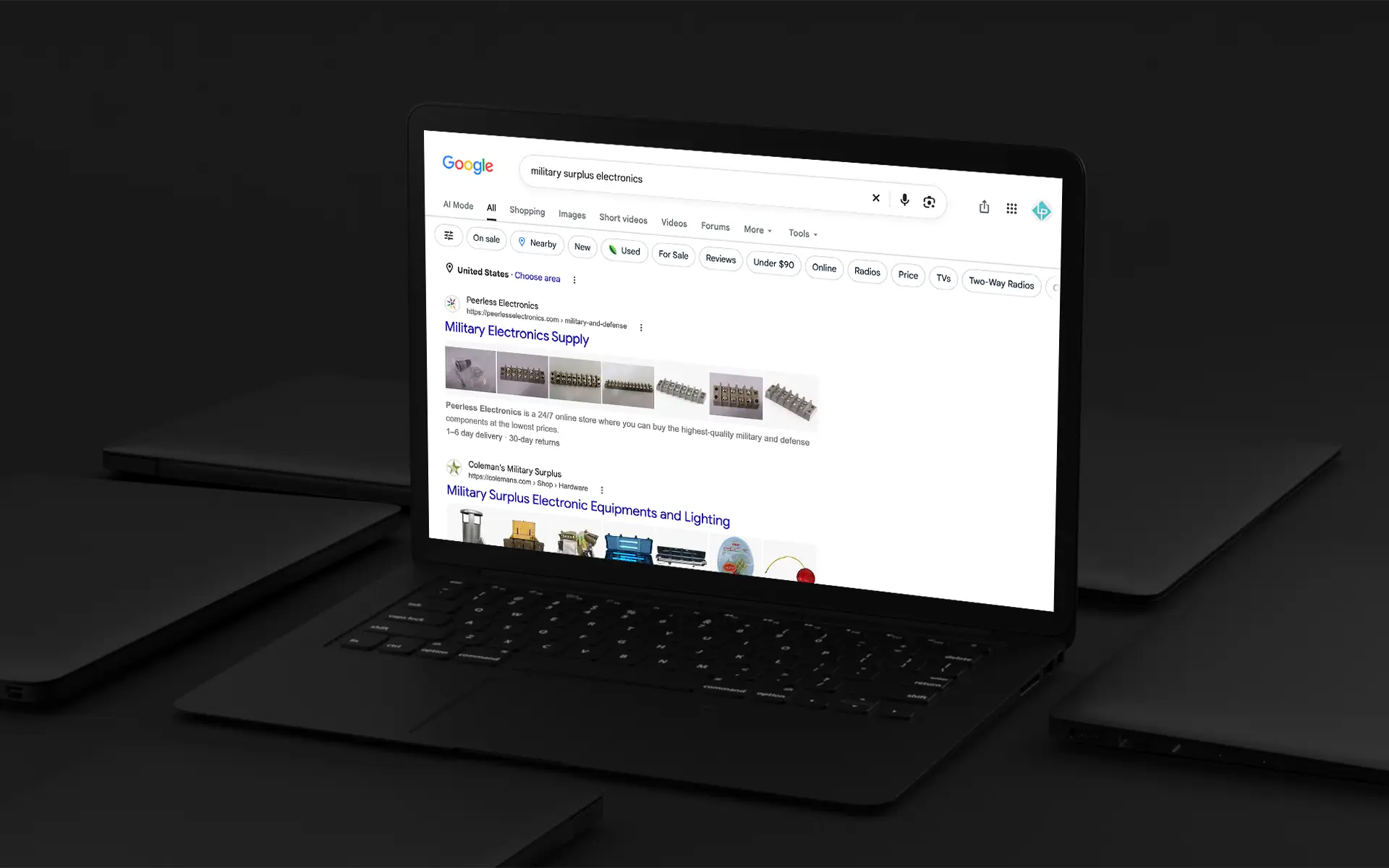
If you are ready to build and implement a strategy that will secure your store’s visibility in the competitive search landscape, we can help. We work with both B2B and B2C eCommerce businesses, combining eCommerce development, SEO, and digital marketing expertise to build strategies that attract the right customers and support growth. For example, see how we helped this electronics distributor increase organic visibility and drive SEO results.
Working with both B2B and B2C stores, we combine our eCommerce development and digital marketing expertise to drive real results, as seen with this electronics distributor’s SEO wins.
Ready to Make Your Products More Visible and Drive Long-term Growth?
Frequently Asked Questions About eCommerce SEO
How long does eCommerce SEO take to work?
Although early impressions, like impressions and clicks, can occur in 6-8 weeks, meaningful results in rankings, traffic, and sales can take anywhere from 3 -6 months with consistent effort.
Is SEO better than PPC for eCommerce?
Neither tactic is inherently better than the other. SEO for eCommerce builds long-term organic visibility. PPC or Paid Ads Management provides immediate visibility and can target high-intent searches. For eCommerce, using both can create a more balanced acquisition strategy. We’ve also seen consistent SEO efforts reduce reliance on PPC.
How much does eCommerce SEO cost?
SEO for eCommerce costs vary widely depending on the site’s size and complexity, market competitiveness, and how much ongoing optimization is needed.
What pages should an eCommerce website optimize first?
Start with the pages with the greatest potential to attract qualified traffic and generate revenue, typically category pages, popular product pages, and the homepage.
Can SEO and PPC work together?
Absolutely. SEO for eCommerce builds organic visibility over time, and PPC provides immediate visibility. Using both can help eCommerce stores capture immediate demand while building stronger brand visibility and authority online.